Put one of your DailyTube summaries on your own website with a single `<iframe>`. Your readers get the same clean briefing people see on the public summary page — no setup, no account for them, nothing to maintain.
## What it looks like
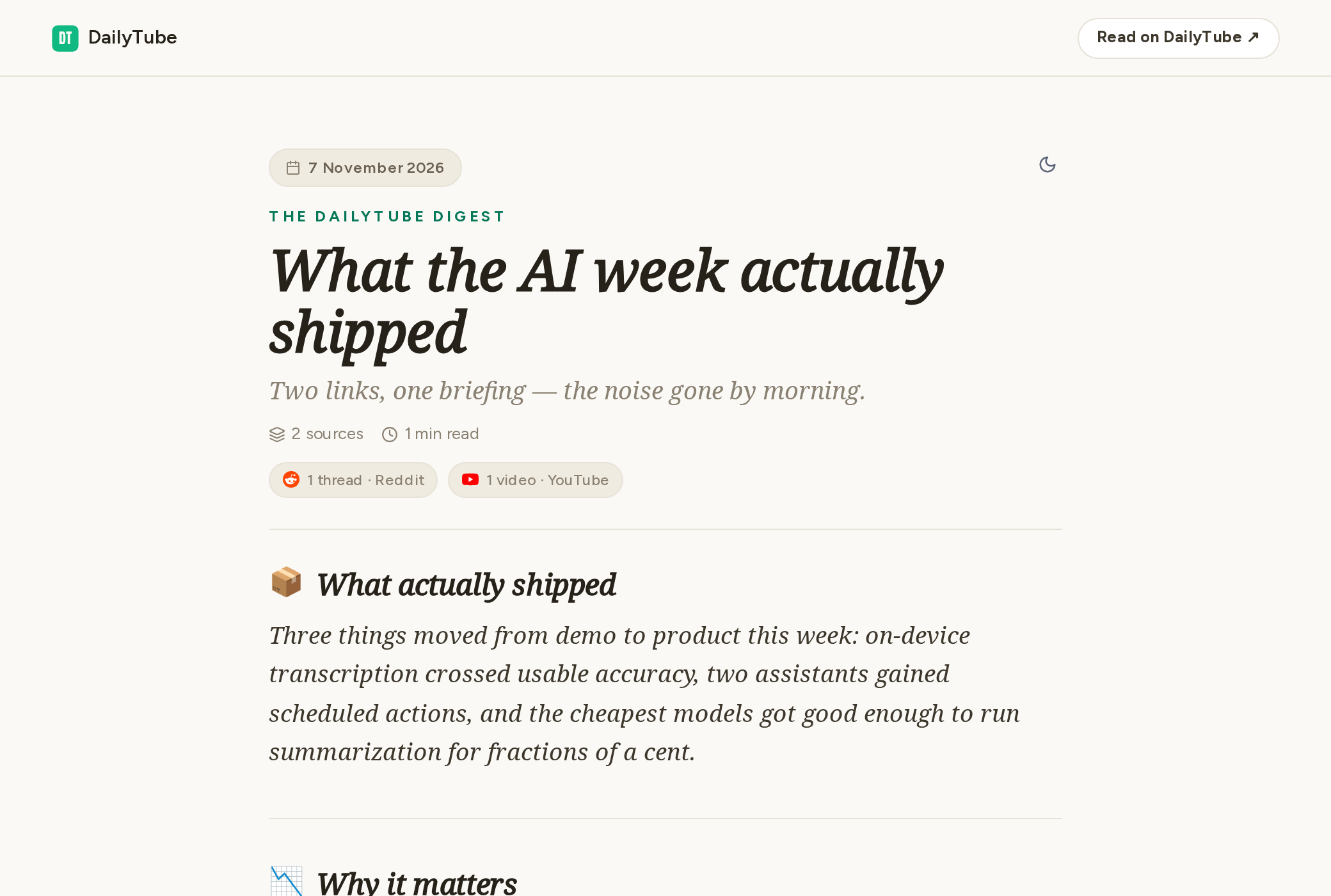
On a desktop-width page:
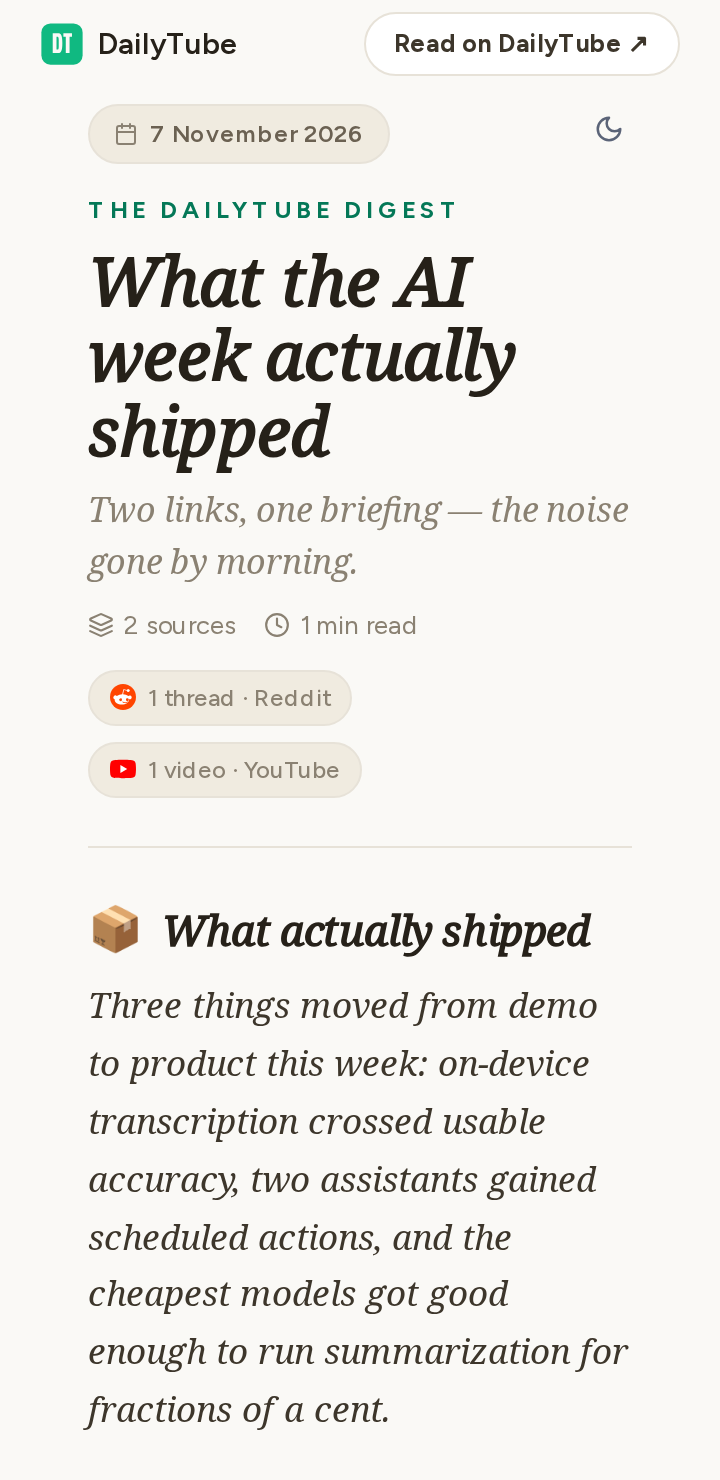
In a mobile-width column:
## Add it in three steps
1. **Share a summary.** Open the summary in your DailyTube app and share it.
2. **Copy its ID.** The public link ends in `/s/` followed by a short code like `a1b2c3d4` — that code is the shared summary ID. (Never use the long internal ID.)
3. **Paste the snippet.** Swap the code into the snippet below and drop it anywhere HTML is allowed.
```html
<iframe src="https://daily-tube.com/embed/shared-summary/YOUR_SHARED_SUMMARY_ID"
        width="100%" height="680"
        style="border:0;border-radius:12px"
        loading="lazy"
        title="DailyTube summary"></iframe>
```
## Try it with your own ID
Paste your shared summary ID and press Preview — you'll see exactly what your readers will see, at desktop and mobile widths, with a copy-paste snippet underneath.
```embed-tester
```
## Sizing
- `width="100%"` makes the widget follow its container; a fixed pixel width works too.
- The widget scrolls inside the frame, so any height works — `680` fits most briefings without feeling cramped.
- Narrow columns are fine: the layout adapts down to roughly 360px (sidebars, mobile columns).
## What your readers see
| State | What renders |
|---|---|
| Shared summary | The full briefing — same design, typography, and light/dark toggle as the public page, plus a small "Read on DailyTube" attribution that opens the public page in a new tab |
| Unshared, deleted, or wrong ID | The public "That briefing has moved on" page with its Start-free button — identical to an expired public link |
| Network hiccup | The public retry state; the Try-again button re-fetches inside the frame |
## Good to know
- Keep the attribution link intact — it is the only branding inside the frame.
- The widget is read-only: no sign-in prompts, and no third-party marketing trackers run inside it. DailyTube's first-party operational analytics (abuse prevention, usage measurement) remains active — the same as any page visit.
- Theme: your reader controls light/dark with the toggle in the widget header.
- Every embed load counts as a public summary view for you, exactly like opening the public link.
- Unsharing turns every embed into the same "moved on" page an expired link shows; sharing again restores every embed with the same ID.
Embedded widget
Put one of your DailyTube summaries on your own website with a single <iframe>. Your readers get the same clean briefing people see on the public summary page — no setup, no account for them, nothing to maintain.
What it looks like
On a desktop-width page:
!The DailyTube embedded widget on a desktop-width page (/embed-screenshots/desktop.png)
In a mobile-width column:
!The DailyTube embedded widget in a mobile-width column (/embed-screenshots/mobile.png)
Add it in three steps
1. Share a summary. Open the summary in your DailyTube app and share it.
2. Copy its ID. The public link ends in /s/ followed by a short code like a1b2c3d4 — that code is the shared summary ID. (Never use the long internal ID.)
3. Paste the snippet. Swap the code into the snippet below and drop it anywhere HTML is allowed.
<iframe src="https://daily-tube.com/embed/shared-summary/YOUR_SHARED_SUMMARY_ID"
width="100%" height="680"
style="border:0;border-radius:12px"
loading="lazy"
title="DailyTube summary"></iframe>
Try it with your own ID
Paste your shared summary ID and press Preview — you'll see exactly what your readers will see, at desktop and mobile widths, with a copy-paste snippet underneath.
Sizing
• width="100%" makes the widget follow its container; a fixed pixel width works too.
• The widget scrolls inside the frame, so any height works — 680 fits most briefings without feeling cramped.
• Narrow columns are fine: the layout adapts down to roughly 360px (sidebars, mobile columns).
What your readers see
| State | What renders |
|---|---|
| Shared summary | The full briefing — same design, typography, and light/dark toggle as the public page, plus a small "Read on DailyTube" attribution that opens the public page in a new tab |
| Unshared, deleted, or wrong ID | The public "That briefing has moved on" page with its Start-free button — identical to an expired public link |
| Network hiccup | The public retry state; the Try-again button re-fetches inside the frame |
Good to know
• Keep the attribution link intact — it is the only branding inside the frame.
• The widget is read-only: no sign-in prompts, and no third-party marketing trackers run inside it. DailyTube's first-party operational analytics (abuse prevention, usage measurement) remains active — the same as any page visit.
• Theme: your reader controls light/dark with the toggle in the widget header.
• Every embed load counts as a public summary view for you, exactly like opening the public link.
• Unsharing turns every embed into the same "moved on" page an expired link shows; sharing again restores every embed with the same ID.
Guides / Embedded widget
Embedded widget
Embed a shared DailyTube summary on any website with one iframe tag.
Put one of your DailyTube summaries on your own website with a single <iframe>. Your readers get the same clean briefing people see on the public summary page — no setup, no account for them, nothing to maintain.
What it looks like
On a desktop-width page:

In a mobile-width column:

Add it in three steps
- Share a summary. Open the summary in your DailyTube app and share it.
- Copy its ID. The public link ends in
/s/followed by a short code likea1b2c3d4— that code is the shared summary ID. (Never use the long internal ID.) - Paste the snippet. Swap the code into the snippet below and drop it anywhere HTML is allowed.
<iframe src="https://daily-tube.com/embed/shared-summary/YOUR_SHARED_SUMMARY_ID"
width="100%" height="680"
style="border:0;border-radius:12px"
loading="lazy"
title="DailyTube summary"></iframe>
<iframe src="https://daily-tube.com/embed/shared-summary/YOUR_SHARED_SUMMARY_ID"
width="100%" height="680"
style="border:0;border-radius:12px"
loading="lazy"
title="DailyTube summary"></iframe>
Try it with your own ID
Paste your shared summary ID and press Preview — you'll see exactly what your readers will see, at desktop and mobile widths, with a copy-paste snippet underneath.
<iframe src="https://daily-tube.com/embed/shared-summary/YOUR_SHARED_SUMMARY_ID" width="100%" height="680" style="border:0;border-radius:12px" loading="lazy" title="DailyTube summary"></iframe>
<iframe src="https://daily-tube.com/embed/shared-summary/YOUR_SHARED_SUMMARY_ID" width="100%" height="680" style="border:0;border-radius:12px" loading="lazy" title="DailyTube summary"></iframe>
Sizing
width="100%"makes the widget follow its container; a fixed pixel width works too.- The widget scrolls inside the frame, so any height works —
680fits most briefings without feeling cramped. - Narrow columns are fine: the layout adapts down to roughly 360px (sidebars, mobile columns).
What your readers see
| State | What renders |
|---|---|
| Shared summary | The full briefing — same design, typography, and light/dark toggle as the public page, plus a small "Read on DailyTube" attribution that opens the public page in a new tab |
| Unshared, deleted, or wrong ID | The public "That briefing has moved on" page with its Start-free button — identical to an expired public link |
| Network hiccup | The public retry state; the Try-again button re-fetches inside the frame |
Good to know
- Keep the attribution link intact — it is the only branding inside the frame.
- The widget is read-only: no sign-in prompts, and no third-party marketing trackers run inside it. DailyTube's first-party operational analytics (abuse prevention, usage measurement) remains active — the same as any page visit.
- Theme: your reader controls light/dark with the toggle in the widget header.
- Every embed load counts as a public summary view for you, exactly like opening the public link.
- Unsharing turns every embed into the same "moved on" page an expired link shows; sharing again restores every embed with the same ID.